Blog
JCB Tractor Diagnostic Systems – Complete Guide for Technicians & Dealers


Modern JCB tractors are equipped with advanced electronic control units (ECUs) that manage the engine, transmission, hydraulics, and emission systems.
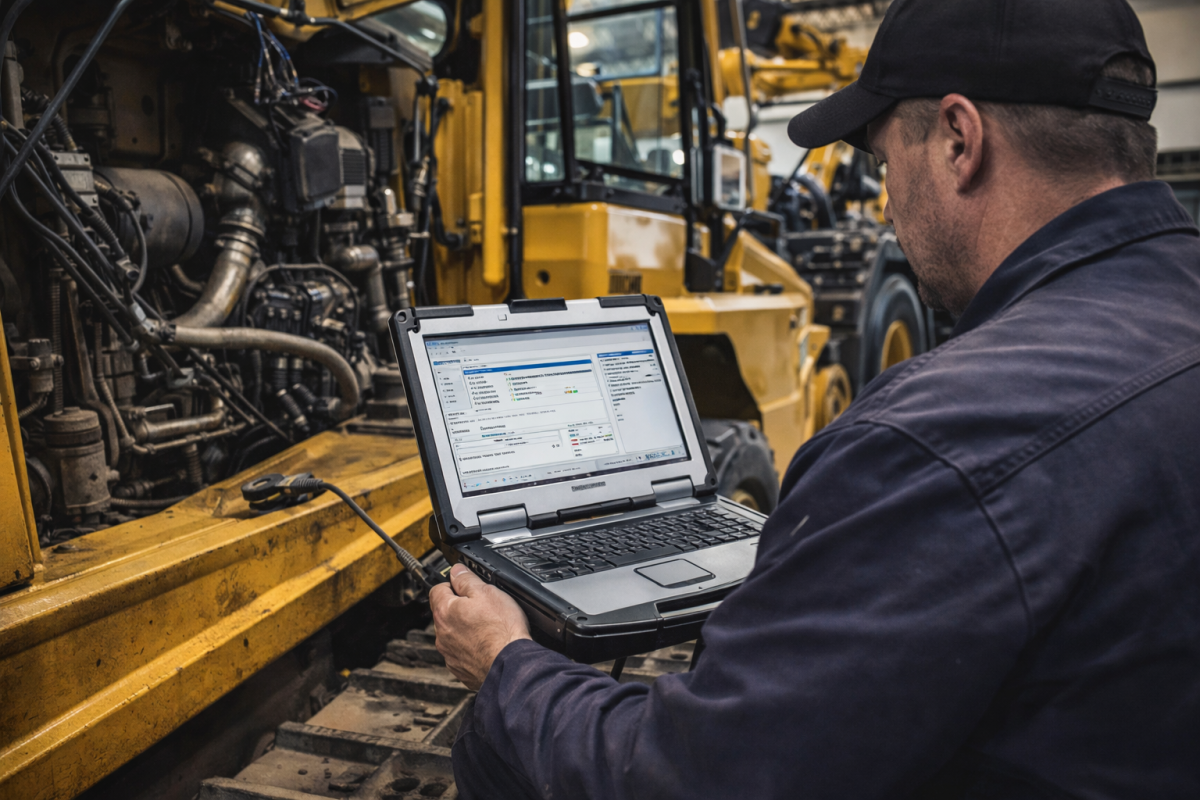
To properly diagnose, calibrate, or repair these machines, technicians use the official JCB ServiceMaster Diagnostic Software — a powerful tool developed specifically for JCB machines.
In this article, we’ll cover everything you need to know about JCB tractor diagnostics, including setup, installation, troubleshooting, and supported models.
Understanding JCB Tractor Diagnostic Systems is essential for effective machine management. Utilizing JCB Tractor Diagnostic Systems ensures technicians can maintain optimal performance and diagnose issues efficiently. Moreover, they allow for real-time monitoring and accurate troubleshooting.
In summary, JCB Tractor Diagnostic Systems play a vital role in ensuring the longevity and reliability of JCB machinery, making them indispensable for maintenance and repair.
What Is JCB ServiceMaster?
Understanding JCB Tractor Diagnostic Systems
JCB ServiceMaster is the original factory diagnostic system designed for authorized JCB dealers and professional workshops.
It connects directly to the machine’s ECUs using a JCB diagnostic interface cable and allows full control over the machine’s electronic systems.
With this tool, technicians can:
-
Read and clear diagnostic trouble codes (DTCs)
-
Perform calibrations and parameter resets
-
Run component tests for valves, sensors, and actuators
-
Monitor live data from all ECUs in real time
-
Perform ECU software updates when needed
-
Generate and export service reports for documentation
The software supports most JCB agricultural and construction machines — from Fastrac tractors to backhoe loaders, telehandlers, and excavators.
Why Every Workshop Needs JCB ServiceMaster
If you regularly work with JCB equipment, the ServiceMaster diagnostic system is indispensable.
It eliminates guesswork, speeds up repairs, and ensures compatibility with the latest models and ECU firmware.
Unlike generic tools, it gives access to JCB’s proprietary protocols, advanced calibration options, and OEM-level functionality.
Workshops that already use diagnostics systems will find the workflow familiar — simple connection, fast communication, and professional reporting.
System Requirements
To ensure the software runs smoothly, your computer should meet the following requirements:
-
Operating System: Windows 10 or 11 (64-bit)
-
Processor: Intel i5 / AMD Ryzen 5 or higher
-
RAM: 8 GB minimum
-
Storage: 20 GB free space
-
USB Port: Required for the diagnostic cable
-
Internet: Needed for activation and updates
For best performance, we recommend installing it on a dedicated diagnostic laptop — similar to those we configure for clients through Diagsoft Solutions.
How to Install JCB ServiceMaster
-
Download the official installer from your JCB ServiceMaster software package.
-
Run the setup as administrator and complete the installation process.
-
Install USB drivers for your diagnostic interface (for example NEXIQ or DPA5).
-
Connect your adapter to the tractor’s OBD or J1939 port.
-
Launch the program and choose the correct JCB model.
-
Wait for communication to establish and verify ECU data.
-
Activate your license key — or contact our support team for remote setup and activation assistance.
Common Issues and Solutions
No communication with ECU
-
Check if the correct COM port and adapter drivers are selected.
-
Try a certified JCB diagnostic cable.
License or activation errors
-
Ensure your PC date and time are correct.
-
Connect to the internet for license verification.
Slow or unstable connection
-
Avoid long USB extensions and unpowered hubs.
-
Use the recommended interface such as USB-Link 2 or NEXIQ.
Error 2001 or incomplete install
-
Reinstall the program and disable antivirus during setup.
If problems persist, our technicians can guide you through remote troubleshooting — included with all software purchases from The Best Manuals Online.
Supported JCB Machines
JCB ServiceMaster covers nearly all modern JCB vehicles and heavy equipment, including:
-
JCB Fastrac 4000 and 8000 Series tractors
-
JCB Loadall telehandlers
-
JCB Backhoe loaders
-
JCB Wheeled loaders
-
JCB Skid steer loaders
-
JCB Excavators and mini-excavators
It automatically detects communication protocols such as CAN-bus, J1939, and J1708, depending on the model.
Advanced Features
-
Real-time monitoring with graphical data charts
-
Customizable ECU parameter editing
-
Report export to PDF and Excel
-
ECU firmware updates via USB or online connection
-
Technician password levels for access control
-
Integration with JCB Service Portal for machine history and parts info
Related Diagnostic Systems
If you service multiple brands, consider adding these systems to your toolkit:
Conclusion
The JCB ServiceMaster diagnostic system is the official solution for maintaining, calibrating, and repairing JCB machinery.
It provides dealer-level access, fast troubleshooting, and full visibility into the machine’s ECUs — ensuring maximum uptime and reliability.
For the latest version with remote activation support and installation assistance, visit The Best Manuals Online or Diagsoft Solutions.
Our team can help you install, configure, and connect your diagnostic system step-by-step — so you can focus on the work that matters.
Discover more from The Best Manuals Online
Subscribe to get the latest posts sent to your email.