


Blog
The Complete Guide to Diagnostic Interface Kits: What They Are, Who Needs Them, and How to Choose the Right One

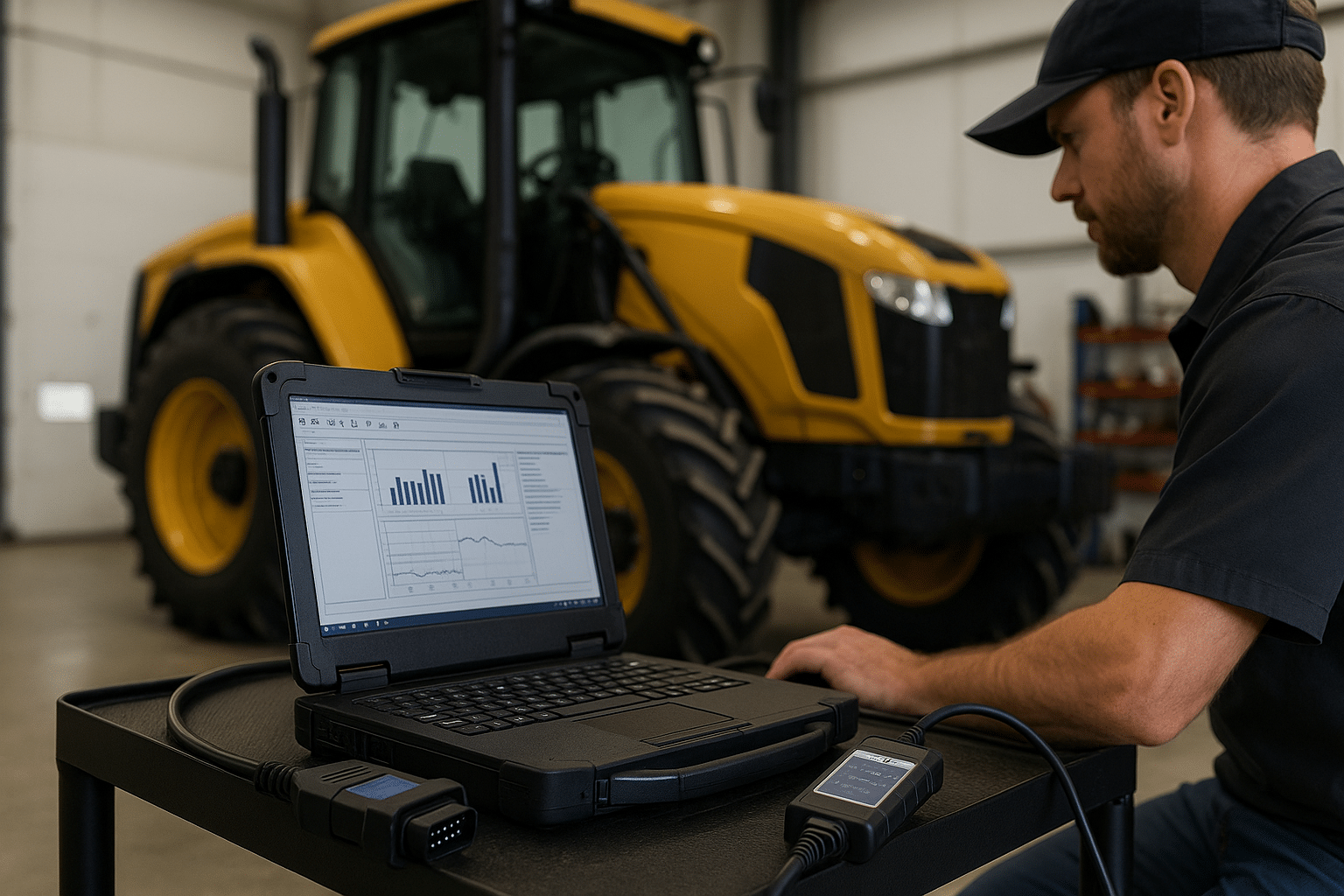
If you service heavy equipment, agricultural machinery, trucks, or mixed fleets, a diagnostic interface kit is no longer a luxury—it’s your frontline tool for faster troubleshooting, accurate repairs, and less downtime. This guide explains what these kits include, how they work, and the key criteria to consider before you buy—plus direct links to trusted sources where you can get professional-grade hardware, software, manuals, and preloaded laptops.
What Is a Diagnostic Interface Kit?
A diagnostic interface kit connects a vehicle or machine’s ECUs to a laptop running OEM or multi-brand software. In practice, it’s your bridge between the machine and the data you need to read/clear fault codes, run calibrations, perform programming, resets, and generate reports.
Typical components:
-
Interface/adapter (RP1210 or J2534 compliant—e.g., DPA5)
-
Cables & connectors (9-pin/6-pin Deutsch, OBD-II, and brand-specific leads)
-
Licensed software (OEM tools like CNH EST, CAT ET, Cummins INSITE, Volvo Tech Tool; or multi-brand suites like JPRO)
-
Rugged laptop + drivers (ideally pre-configured for plug-and-play use)
👉 Explore ready-to-work diagnostic kits and preloaded laptops at Diagsoft Solutions:
https://diagsoft-solutions.com/
Why Shops and Fleets Rely on Them
-
Faster diagnostics: Live data, bi-directional controls, guided tests—less guesswork, more first-time fixes.
-
More work in-house: DPF regens, injector cutout tests, parameter edits—keep jobs off dealer calendars.
-
Better documentation: Create printable reports customers and fleet managers trust.
-
Higher uptime: Accurate procedures + the right software = fewer comebacks and shorter downtime.
👉 Need official service manuals to complement your kit? Get instant downloads at Manuals-Express:
https://manuals-express.com/
👉 Prefer a broad catalog and category browsing? See The-Best-Manuals-Online:
https://the-best-manuals-online.com/
Or jump straight to their Diagnostic Software category:
https://the-best-manuals-online.com/product-category/diagnostic-software/
How to Choose the Right Kit (Quick Checklist)
-
Coverage & Protocols
Confirm support for CAN, J1939, J1708, ISO 15765, and any brand-specific buses you service. Mixed fleets benefit from RP1210/J2534 compatibility.
• Browse multi-brand and OEM coverage options at Diagsoft Solutions: https://diagsoft-solutions.com/ -
OEM vs. Multi-brand Software
-
OEM tools (e.g., CNH EST, CAT ET, Cummins INSITE, Volvo Tech Tool) deliver the deepest functions for a specific brand.
-
Multi-brand suites (e.g., JPRO) offer broad coverage and excellent usability for mixed fleets.
• See a CNH EST + DPA5 example kit on Diagsoft Solutions:
https://diagsoft-solutions.com/product/new-holland-case-diagnostic-kit-2021-cnh-est-dpa-5-diesel-engine-electronic-service-tool-adapter-380002884-include-cnh-9-5-engineering-software/
-
-
Licensing, Activation & Updates
Make sure you’re getting legitimate licenses, clear activation support, and a plan for updates, drivers, and firmware.
• Get remote installation & activation help from Diagsoft Solutions: https://diagsoft-solutions.com/ -
Hardware Quality
A rugged, pre-configured laptop with the correct drivers saves hours and minimizes connection headaches.
• Ask for preloaded laptop kits at Diagsoft Solutions: https://diagsoft-solutions.com/ -
Technical Documentation
Even the best interface needs accurate procedures and wiring.
• Download workshop/service manuals & wiring diagrams at Manuals-Express: https://manuals-express.com/
• Compare with the large catalog at The-Best-Manuals-Online: https://the-best-manuals-online.com/
Popular, Field-Proven Example
CNH EST + DPA5 for Case/New Holland
Ideal for dealers, independent shops, and fleets servicing CNH equipment. Expect deep diagnostics, calibrations, and parameter edits with professional reporting.
• Product example (Diagsoft Solutions):
https://diagsoft-solutions.com/product/new-holland-case-diagnostic-kit-2021-cnh-est-dpa-5-diesel-engine-electronic-service-tool-adapter-380002884-include-cnh-9-5-engineering-software/
Need manuals to back up those procedures?
• Manuals-Express home: https://manuals-express.com/
• The-Best-Manuals-Online home: https://the-best-manuals-online.com/
• Diagnostic Software category (The-Best-Manuals-Online): https://the-best-manuals-online.com/product-category/diagnostic-software/
Avoid Common Pitfalls
-
Cloned hardware/cracked software: Unstable connections, blocked updates, and real liability risks. Stick with vetted sources.
• Start with Diagsoft Solutions for legit software, tools, and remote setup: https://diagsoft-solutions.com/ -
Wrong cable set: Verify connectors (Deutsch 6/9-pin, OBD-II, OEM-specific).
-
No documentation: Without correct service procedures, calibrations and programming can fail.
• Grab the exact workshop manual from Manuals-Express: https://manuals-express.com/
• Or browse The-Best-Manuals-Online catalog: https://the-best-manuals-online.com/
FAQs
Q: I manage a mixed fleet—do I need multiple OEM tools?
A: Often yes for deep functions, but many fleets start with a multi-brand suite and add OEM tools for high-volume brands.
• Compare options at Diagsoft Solutions: https://diagsoft-solutions.com/
• Use manuals from Manuals-Express or The-Best-Manuals-Online to ensure correct steps:
https://manuals-express.com/
https://the-best-manuals-online.com/
Q: Can I buy a plug-and-play laptop that’s already set up?
A: Yes—preloaded diagnostic laptops with drivers and licenses save hours and reduce connection issues.
• Ask Diagsoft Solutions: https://diagsoft-solutions.com/
Q: Where can I get wiring diagrams and step-by-step procedures?
A: For instant downloads:
• Manuals-Express: https://manuals-express.com/
• The-Best-Manuals-Online (Diagnostics category):
https://the-best-manuals-online.com/product-category/diagnostic-software/
Discover more from The Best Manuals Online
Subscribe to get the latest posts sent to your email.


